


Move Stop Loss to Break-Even After TP1: Stop Rules for a Trading Bot
A signal has one Stop Loss and several Take-Profits. What happens to the stop after the first target is taken decides how much of a winning trade you keep. In the GGShot Mini App this is one line of the Entry Preset, applied to every trade the bot opens.
The Stop Rules of a Preset
- Fixed: the stop stays at the signal's Stop Loss.
- After TP1: keep the stop, move it to entry, or move it to break-even.
- Trailing: the stop follows the indicator line as the trade moves.
You set the rule once in Home → AUTO TRADING → Entry Presets. One-tap entries and automated desks use it.
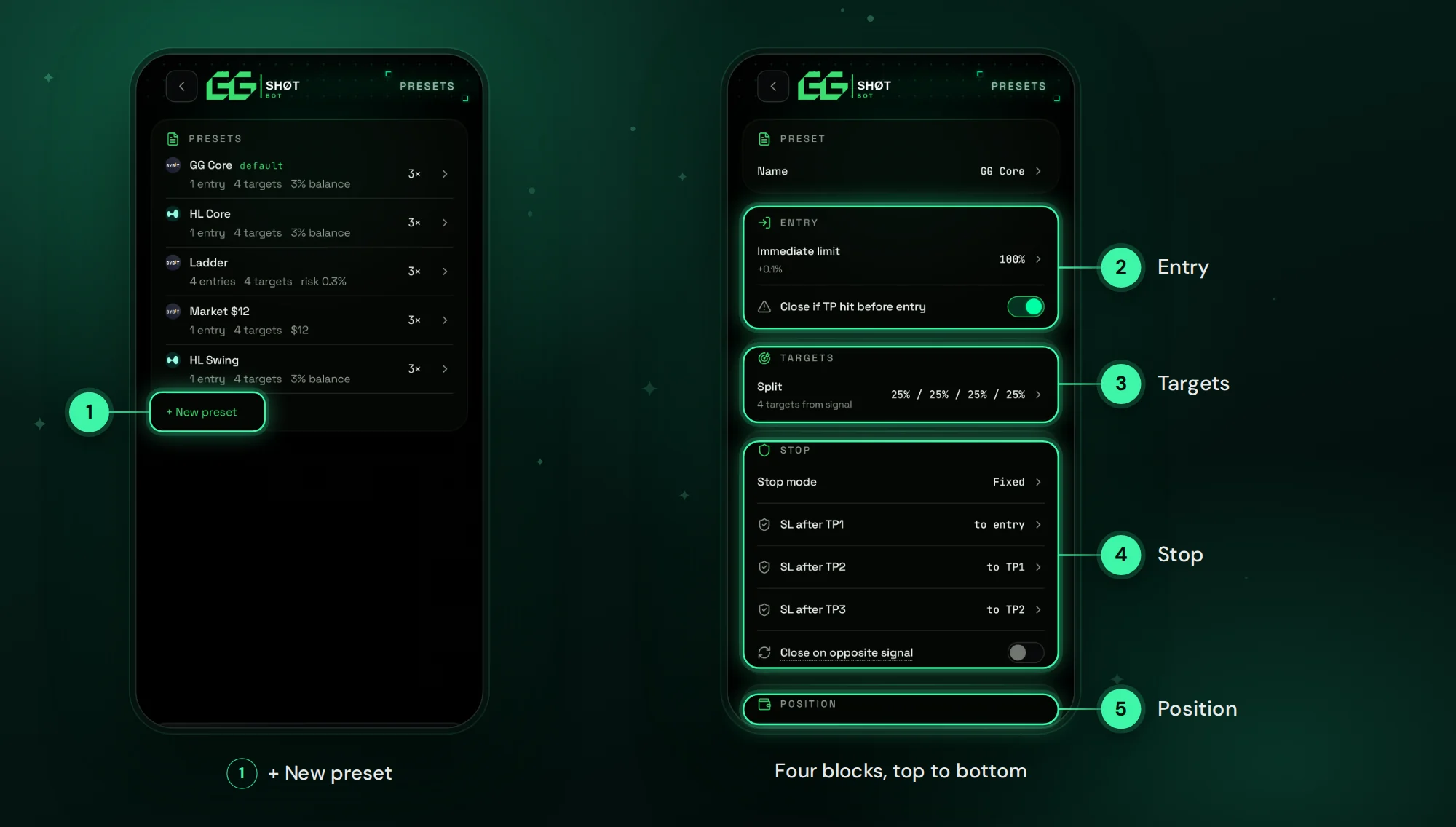
What Moving the Stop After TP1 Does
- Part of the position is closed at TP1 with a profit.
- The stop of the remaining part is moved up for a long, or down for a short.
- If the price returns, the rest closes near the entry instead of at the original Stop Loss.
- The trade can no longer end as a full loss.
What It Costs
A trade that takes TP1, comes back to the entry and then goes on to TP3 is closed early by a moved stop. With the stop kept in place it would have stayed open. Moving the stop lowers the average loss and also cuts some winners. Which effect is larger depends on the strategies and the market.
Test It on Your Desk
- Open the desk and tap Backtest.
- Run it with the preset that keeps the stop.
- Tap + COMPARE and choose the same preset with the stop moved after TP1.
- Compare PNL, maximum drawdown and win rate on the same period.
The backtest replays every trade on 1-minute candles with fees, funding, entry delay and slippage. More in How to Backtest a Trading Bot Before You Automate It.
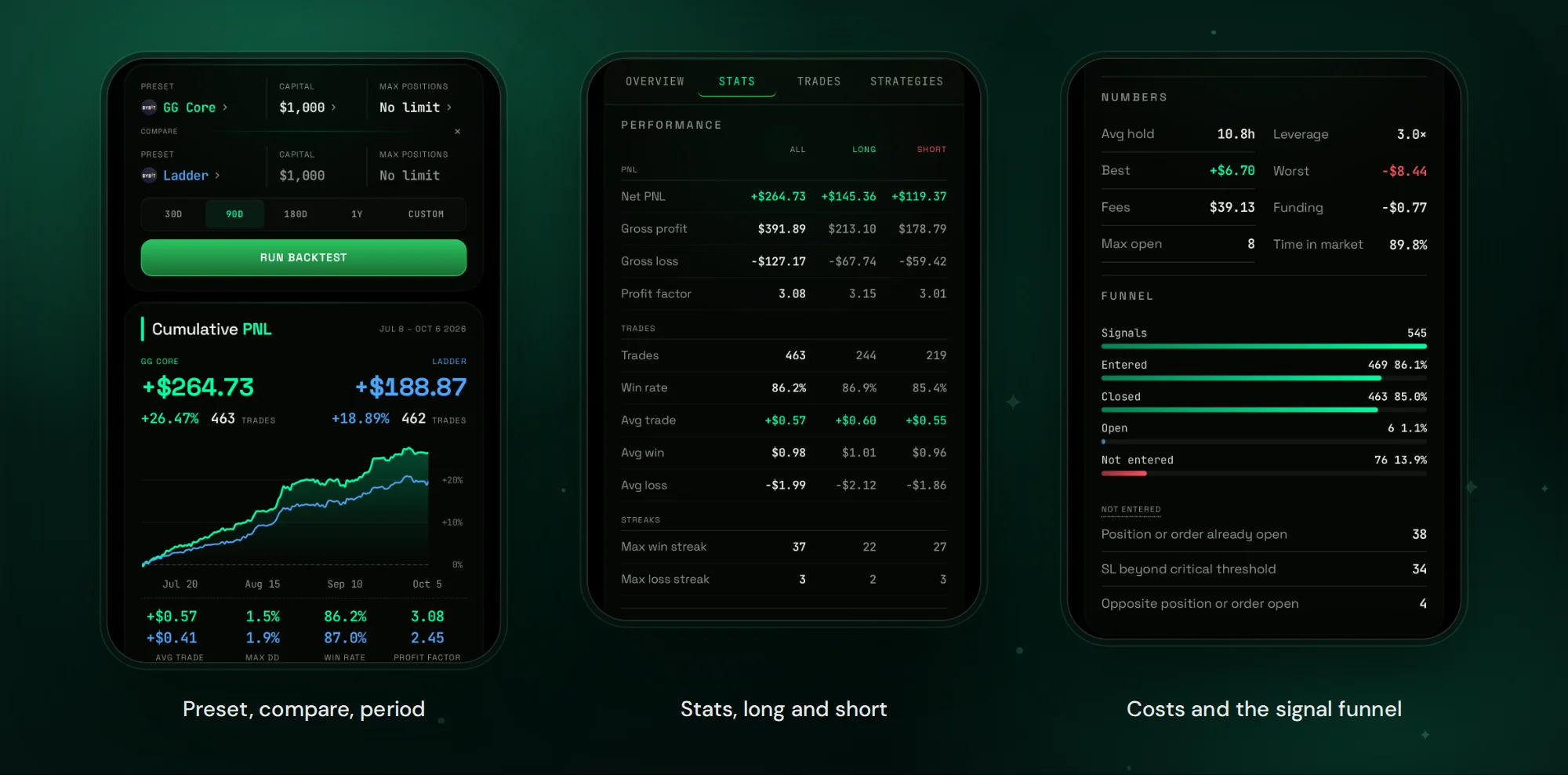
How the Position Is Split
The stop rule works together with the targets. A preset splits the position across TP1–TP4, for example 25% at each. The larger the share closed at TP1, the less is left for the moved stop to protect, and the less is left to reach TP4.
Where the Orders Sit
Once the entry fills, the Stop Loss and Take-Profits are placed on the exchange. The stop rules keep working when Telegram and the app are closed.
FAQ
Does the rule apply to automated desks?
Yes. An automated desk enters every signal with the preset you chose, including its stop rule.
Can I change the stop for one trade?
Yes. Manual on a signal card sets your own size, leverage, targets and stop for one trade without changing the preset.
Which exchanges does it work on?
Bybit and Hyperliquid.
Get Started
Open @GGShot_Bot, launch the Mini App and open Home → AUTO TRADING → Entry Presets. Every setting is described in the GG-Shot Auto-Trading: Complete Guide.